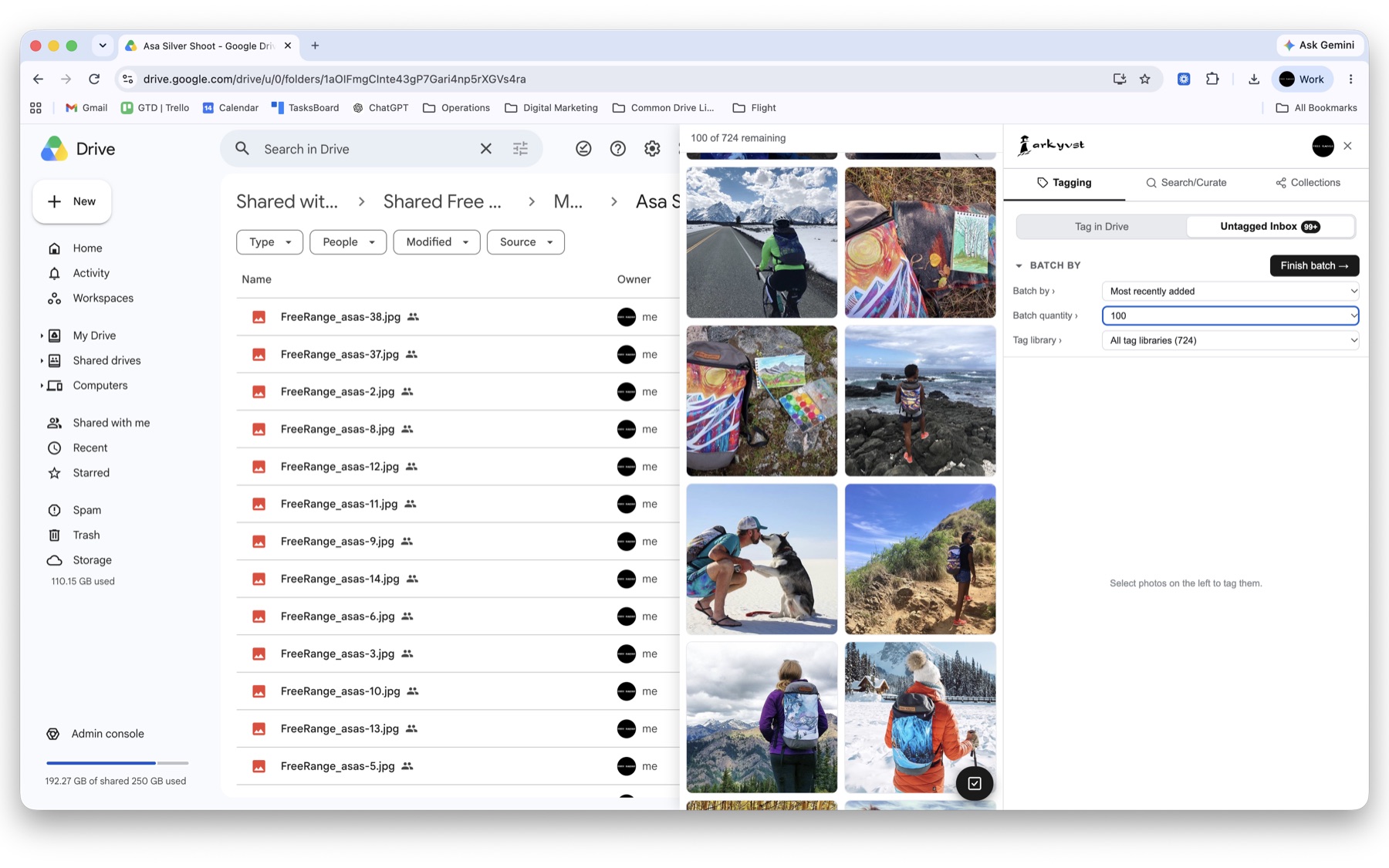
Arkyvst is a Chrome extension for your Google Drive. Drive can only find a file by its name — one attribute. Arkyvst lets you tag any file — a photo, a video, a PDF — with as many attributes as you want, then stack those tags to narrow thousands of files down to the exact one, right inside Drive.
The organizing power of a digital asset manager — for photos, videos and audio — without leaving Google Drive or paying for enterprise software.
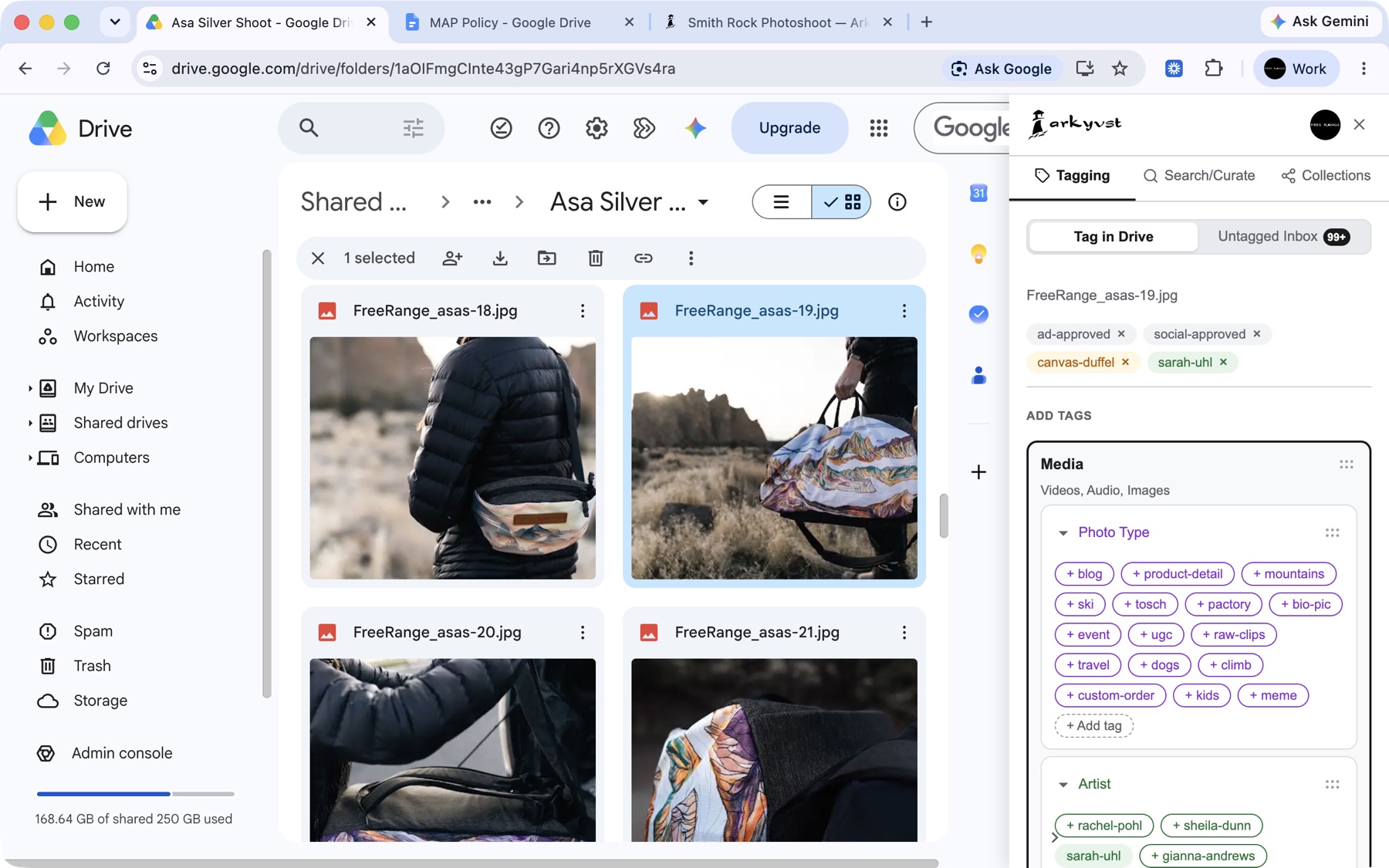
Tag photos, video and audio right from the Drive sidebar — by what's in them, who they're for, or their status. Drive can't look inside a photo or a clip, so tags are the only way to make them findable. Works on Docs, Sheets, Slides and PDFs too.
Point Arkyvst at the folders where media piles up. Every still-untagged photo and clip lands in one inbox — work through it in batches, thumbnail by thumbnail, until you hit inbox zero.
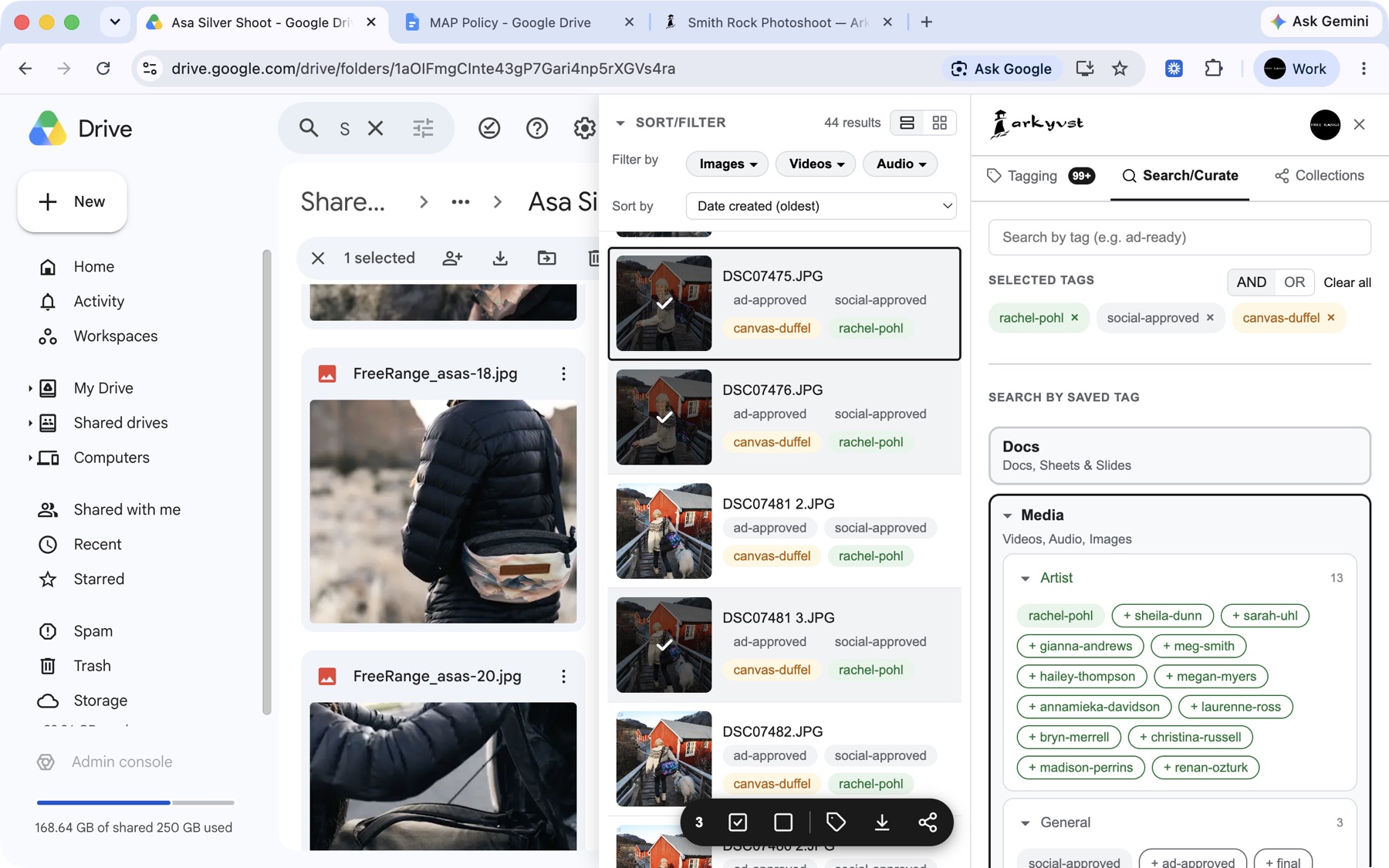
This is the whole point. Drive finds a file by its name — one attribute. Arkyvst lets you stack tags — approved + spring-launch + homepage — to narrow thousands of files down to the exact one, across every folder and shared drive. Fast and local-first.
Confirm you've got the right shot before you tag it. Arkyvst plays audio and video and shows image and PDF previews right in the sidebar — no extra tab, no guessing from IMG_4821.jpg.
Build your vocabulary once — clients, projects, statuses, whatever you sort by. Group tags into categories, color-code them, and reuse them with a click so everything's labelled the same way every time.
Share one tag library across your team. Everyone labels clients, projects and statuses the same way from day one — no more "is it acme-co or AcmeCo?"
We never read the contents of your files — only their metadata and the tags you add. Your tags sync through Arkyvst's secure backend, locked to your workspace with row-level security, so they're on every device and shared only with teammates you invite.
Tag your first batch of files for free. Upgrade only when you outgrow the limit — no credit card needed to sign up.
If you keep a lot of files in Drive, you've probably hit every one of these.
"Wait — which version was the final one?"
You send a few drafts, someone picks one, and two weeks later you're staring at v1, v2, final, final-2. Tag the one that got approved final the moment you hear back, and never ship the wrong version again.
"Pull everything for one client — fast."
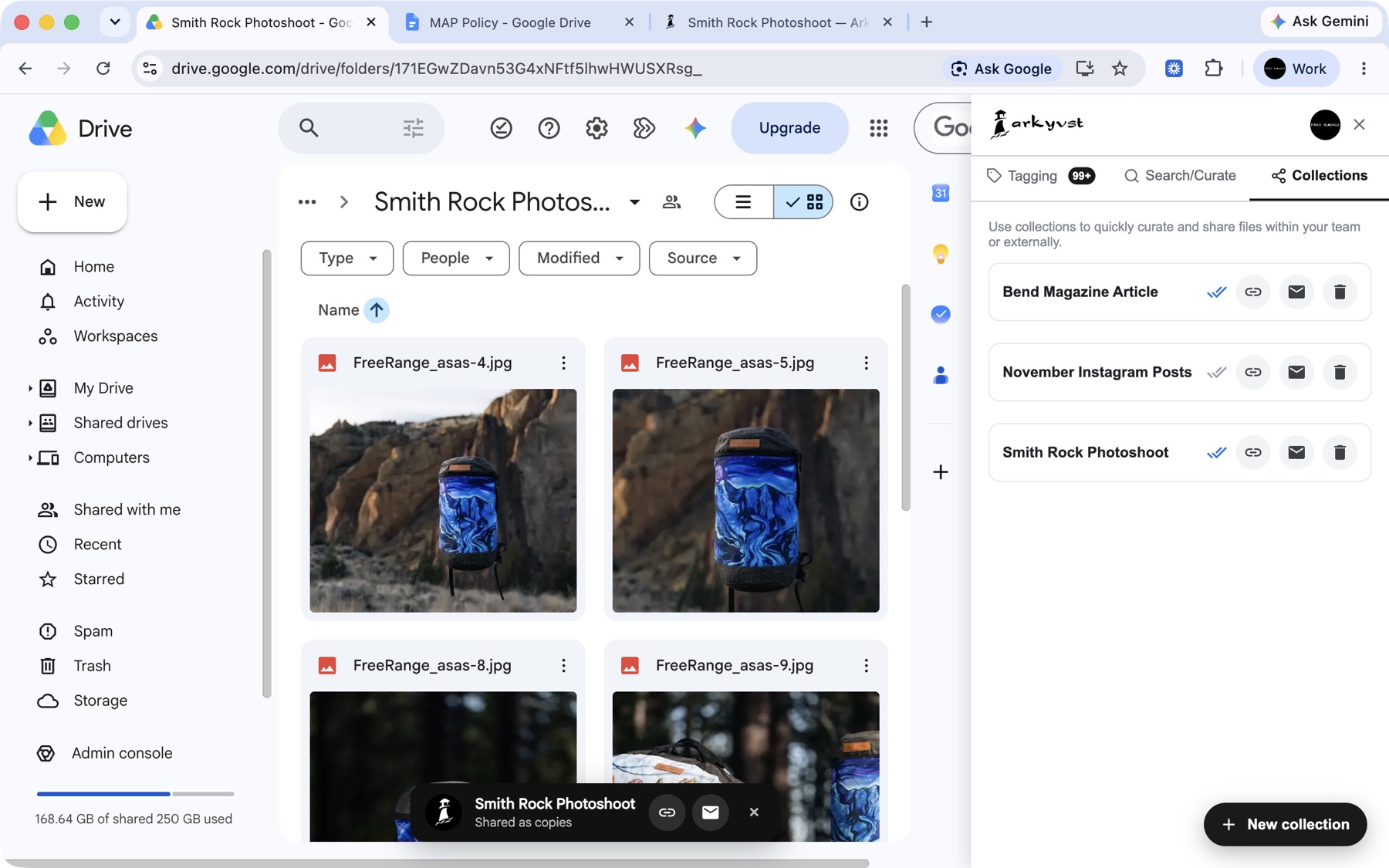
A client asks for every file from their last project, and it's scattered across a dozen folders. Tag each file with the client and project, then click that tag to see their whole history in one view — no digging.
"I need the exact file — not forty maybes."
Drive can only search a file's name, so finding the right one means scrolling through hundreds of IMG_ and DSC_ files. Stack tags instead — client-acme + approved + homepage — and the one file you need surfaces in seconds.
"Folders just don't cut it."
A file can only live in one folder, but it's usually several things at once. Tags let one file be client-acme, approved, social and spring-launch all at the same time — right where your files already live, nothing moved or duplicated.
"Real DAM software is overkill — and pricey."
Enterprise asset managers mean a new platform, a migration, and a bill to match. Arkyvst is a lightweight layer on the Drive you already use — nothing to migrate, free to start, and your files never leave your own Google account.
"Everyone on the team tags things differently."
One person writes acme-co, another writes AcmeCo, and now nothing's findable. A shared tag library keeps the whole team on one vocabulary, so a search turns up every match no matter who filed it.
Install once. Tag your files. Find the exact one later.
One click from the Chrome Web Store. Sign in with Google to enable cross-device sync — or skip sign-in and use it locally.
Open any file in Drive. The Arkyvst sidebar pops up — tag it with whatever matters (client, project, status), hit enter, done. Build a saved library you can chip-click next time. Got a backlog? The Untagged Inbox clears it in batches.
Click a saved tag — or stack several — to narrow from everything down to the exact file, across folders, shared drives, and your whole account. The more tags you stack, the closer you get to the one you wanted.
Try the full product free. Upgrade only when you actually outgrow it.
The full product for a single user — capped at 1,000 tagged files.
For when you've blown past 1,000 — same single-user experience, no cap.
plus $1.99 / month per extra seat — your owner seat is included
Keep a whole team tagging from one shared vocabulary.
Looking for step-by-step guides? Browse the Help Center. Still stuck? Email info@arkyvst.com.
Install Arkyvst, tag a few assets, and turn your Drive into a media library you can actually search.
Add to Chrome — Free